Snapping should be improved with all of the illustrated functions working as per videos and descriptions present at this page.
http://wiki.aitekweb.com/en/vein-matching
Select primary edge => Alignment destination
Select line along secondary => Alignment side ref. (possibly this tool not needed)
Select edge along primary => Edge to align
Reset edge alignment => Cancel alignment
ESC button and right click should cancel the selection of edges, and the alignment as well.
Extract of conversation in Skype:
It's kind of like a step by step process
User right click on first figure
the menu pops out
Then select the option from menu "Select primary edge => Alignment destination"
then use clicks on one of the edges
Then right click on second shape, still have menu, user hase to "Select edge along primary => Edge to align"
When user select this line on the second figure, the figures enter "Alignment state" in this alignment state, the lines are aligned, and the mouse movement can move the shape to be aligned along the destination figure (aka primary)
and there should be snapping at every significant intersection, when user gets the wanted intersection, right click to confirm, if esc the shapes go back to original position, canceling the operation.
The biggest problem is getting the significant intersections
I think there should be some rules about this, the simplest would be the extensions of the previous and next line from the primary line, when those intersect with end point on the figure
Change names please
Select primary edge => Alignment destination
Select line along secondary => Alignment side ref. (possibly this tool not needed)
Select edge along primary => Edge to align
Reset edge alignment => Cancel alignment
ESC button and right click should cancel the selection of edges, and the alignment as well.
Extract of conversation in Skype:
It's kind of like a step by step process
User right click on first figure
the menu pops out
Then select the option from menu "Select primary edge => Alignment destination"
then use clicks on one of the edges
Then right click on second shape, still have menu, user hase to "Select edge along primary => Edge to align"
When user select this line on the second figure, the figures enter "Alignment state" in this alignment state, the lines are aligned, and the mouse movement can move the shape to be aligned along the destination figure (aka primary)
and there should be snapping at every significant intersection, when user gets the wanted intersection, right click to confirm, if esc the shapes go back to original position, canceling the operation.
The biggest problem is getting the significant intersections
I think there should be some rules about this, the simplest would be the extensions of the previous and next line from the primary line, when those intersect with end point on the figure
blue line disappeared half way, I think we should keep like before.
Change alignment order to
Alignment destination first
Alignment side
edge to Align
Vertex
Self apply after "edge to Align" has been selected
Self align and ESC after "Vertex" has been selected
User mouse right click while in "Alignment side" selection period, will skip to "edge to align" period, and if "Alignment side" has been skipped, vertex is not necessary, can directly apply and ESC at successfull selection of "edge to align"
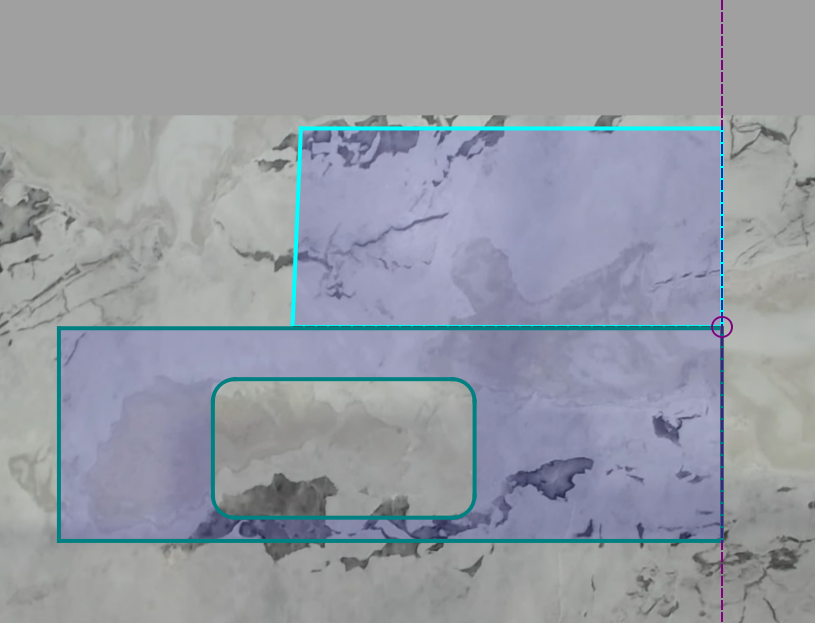
blue line disappeared half way, I think we should keep like before.
Change alignment order to
Alignment destination first
Alignment side
edge to Align
Vertex
Self apply after "edge to Align" has been selected
Self align and ESC after "Vertex" has been selected
User mouse right click while in "Alignment side" selection period, will skip to "edge to align" period, and if "Alignment side" has been skipped, vertex is not necessary, can directly apply and ESC at successfull selection of "edge to align"
Blocking a user prevents them from interacting with repositories, such as opening or commenting on pull requests or issues. Learn more about blocking a user.


Snapping should be improved with all of the illustrated functions working as per videos and descriptions present at this page.
http://wiki.aitekweb.com/en/vein-matching
I get some weird behaviours
Change names please
Select primary edge => Alignment destination
Select line along secondary => Alignment side ref. (possibly this tool not needed)
Select edge along primary => Edge to align
Reset edge alignment => Cancel alignment
ESC button and right click should cancel the selection of edges, and the alignment as well.
Extract of conversation in Skype:
It's kind of like a step by step process
User right click on first figure
the menu pops out
Then select the option from menu "Select primary edge => Alignment destination"
then use clicks on one of the edges
Then right click on second shape, still have menu, user hase to "Select edge along primary => Edge to align"
When user select this line on the second figure, the figures enter "Alignment state" in this alignment state, the lines are aligned, and the mouse movement can move the shape to be aligned along the destination figure (aka primary)
and there should be snapping at every significant intersection, when user gets the wanted intersection, right click to confirm, if esc the shapes go back to original position, canceling the operation.
The biggest problem is getting the significant intersections
I think there should be some rules about this, the simplest would be the extensions of the previous and next line from the primary line, when those intersect with end point on the figure
blue line disappeared half way, I think we should keep like before.
Change alignment order to
Alignment destination first
Alignment side
edge to Align
Vertex
Self apply after "edge to Align" has been selected
Self align and ESC after "Vertex" has been selected
User mouse right click while in "Alignment side" selection period, will skip to "edge to align" period, and if "Alignment side" has been skipped, vertex is not necessary, can directly apply and ESC at successfull selection of "edge to align"
Fixed.